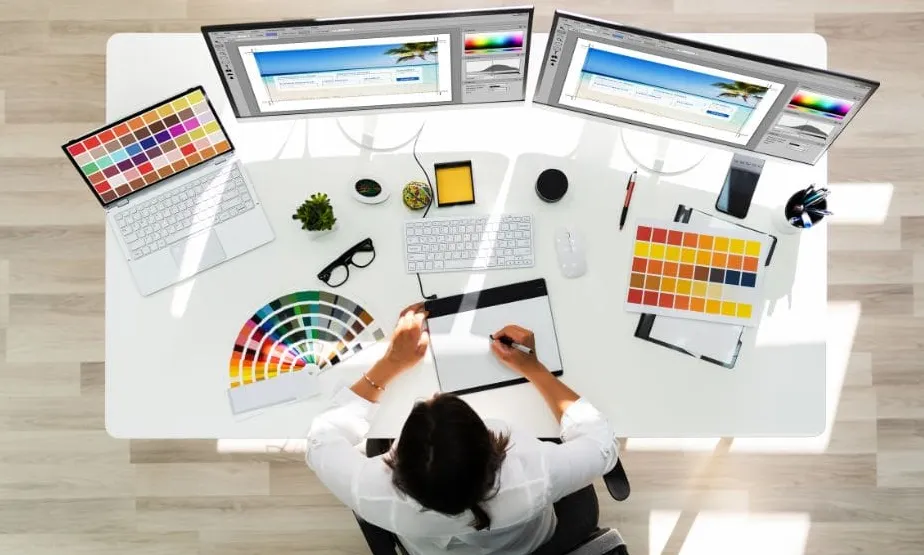
In today’s digital world, visual advertising plays a major role in engaging customers, increasing sales, and strengthening brand identity. Businesses, large and small, depend heavily on strong ad creatives to stand out online. With the rise of user-friendly digital platforms, anyone can now design compelling advertisements using an ads design tool without needing advanced graphic design skills.
Whether you run a startup, manage a marketing department, or create content for social media, this guide will show you how an ads design tool helps you simplify the creative process while producing high-quality visuals.
What Is an Ads Design Tool?
An ads design tool is a web-based or downloadable application that allows users to create, customize, and export digital advertisements. These tools offer:
- Ready-made templates
- Drag-and-drop editing
- Stock photos and illustrations
- Branding features
- Multiple ad dimensions for social media platforms
- Professional fonts and color presets
With these built-in features, businesses can design ads that look polished and professional in minutes.
Why Businesses Need an Ads Design Tool
Designing effective ads is essential for online marketing, and using an ads design tool provides several advantages:
1. Saves Time
You do not need to start from scratch. Templates make it easier and faster to create ads.
2. Budget-Friendly
Hiring designers can be costly. Many tools offer free plans or low-cost options.
3. Easy for Beginners
No design background is required. Drag-and-drop editors make ad creation simple.
4. Consistent Branding
You can upload your logo, brand colors, and preferred fonts to maintain consistency.
5. Multiple Export Formats
Create ads for platforms like Facebook, Instagram, Google Display Network, or TikTok.
Key Features of a High-Quality Ads Design Tool
When choosing an ads design tool, ensure it offers the following features:
Customizable Templates
Select from templates for ecommerce, real estate, restaurant promotions, event marketing, and more.
Brand Kit Options
Save brand color palettes, logos, and fonts for consistent ad creation.
Image and Asset Library
Access stock images, icons, shapes, stickers, and backgrounds.
Flexible Export Options
Download ads in JPG, PNG, MP4 (for animated ads), or GIF.
Social Media Dimensions
One-click resizing for various platforms:
- Instagram stories
- Facebook feed
- YouTube thumbnails
- TikTok ads
- Google banner ads
How to Create Ads Step-by-Step Using an Ads Design Tool
Step 1: Choose Your Template
Browse categories and select a professionally designed ad layout that fits your goal.
Step 2: Add Your Branding
Upload your logo, adjust colors, and choose fonts.
Step 3: Insert Your Content
Write your headline, call-to-action (CTA), and supporting text.
Step 4: Add Images or Graphics
Select from the asset library or upload your own product or lifestyle images.
Step 5: Customize the Layout
Resize items, adjust placements, change colors, and modify backgrounds.
Step 6: Export and Publish
Download the final design and upload it to the platform of your choice.
Comparison Table: Ads Design Tool vs. Traditional Design Software
| Feature | Ads Design Tool | Traditional Software (e.g., Photoshop) |
| Learning Curve | Very Easy | Moderate to Difficult |
| Cost | Often Free or Low | Higher Subscription Cost |
| Templates | Yes | Limited |
| Speed | Very Fast | Requires More Time |
| Ideal For | Marketing Teams, Small Businesses | Professional Designers |
Ads design tools provide speed and simplicity, while traditional software offers more advanced customization.
Examples of Ads You Can Create
Using an ads design tool, you can create:
- Social media ads
- Display banners
- Product promotions
- Event announcements
- Special discount ads
- Service advertisements
- Carousel posts
- Animated ads
Everything can be generated quickly, regardless of your level of design experience.
Tips for Creating High-Quality Ads
- Use short and clear headlines
- Choose bold, readable fonts
- Maintain strong contrast between text and background
- Include a call-to-action like “Buy Now” or “Learn More”
- Keep your branding consistent
- Use high-quality photos
- Avoid clutter; simplicity improves clarity
These tips help your ads stand out and drive results.
FAQs
1. Are ads design tools free to use?
Many offer free plans with essential features. Upgraded plans provide more assets and exporting options.
2. Can I use these tools without design experience?
Yes. They are beginner-friendly, using drag-and-drop editors.
3. What file formats can I export my ads in?
Most tools support JPG, PNG, GIF, and MP4.
4. Can I resize ads for different platforms?
Yes, one-click resizing is a common feature in most ads design tools.
5. Can businesses use ads created with these tools commercially?
Absolutely. As long as you follow licensing rules for stock photos and fonts.
Conclusion
An ads design tool makes it easy to create professional, visually appealing advertisements without needing advanced design skills. From templates and branding tools to asset libraries and easy exports, these platforms simplify every step of the design process. Whether you are promoting a new product, boosting engagement, or strengthening your brand identity, an ads design tool provides everything you need to succeed in today’s competitive marketing environment.

I’m Leo Knox, the wordplay wizard behind WordsTwists.com where I turn everyday meanings into funny, clever, and creative twists. If you’re tired of saying things the boring way, I’ve got a better (and funnier) one for you!