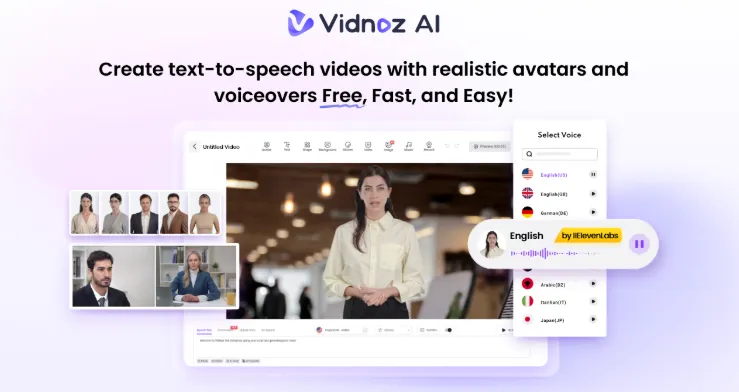
Imagine a classroom buzzing with excitement. Students are captivated by a visually stunning video that brings a historical event to life. This is exactly what today’s Gen Z learners crave — interactive, visual, and fast-paced content that speaks their language. Traditional teaching methods often struggle to hold their attention, but AI-powered tools are changing the game. Vidnoz AI empowers educators to create unique, personalized, and professional-looking videos in minutes—no technical skill required. If you want to know how Vidnoz AI does it, you’re in the right place. This guide explores the key capabilities of Vidnoz AI and explains how educators can create high-quality educational content in seconds.
Part 1: Introducing Vidnoz AI
Vidnoz AI is an AI-powered video generation platform that enables anyone to create high-quality videos with a simple text prompt or any source material. Designed for ease of use, it eliminates the need for advanced video editing skills, expensive equipment, or long production times. With features like an AI avatar, a realistic AI voice, and customizable templates, Vidnoz AI makes video creation accessible to educators of all experience levels. Apart from its impressive features, Vidnoz AI prioritizes user security and holds ISO/IEC 27001:2022 certification, ensuring the highest standards of data protection and information security. Whether you’re explaining complex concepts, creating lesson summaries, or developing interactive learning content, Vidnoz AI helps transform traditional teaching material into engaging video in minutes.
Part 2: Why Vidnoz AI is The Perfect Tool for Educators
Vidnoz AI offers amazing features and capabilities, making it the standout option to create engaging educational content. Here are the top features of this program that make it perfect for educators:
- Customizable Templates
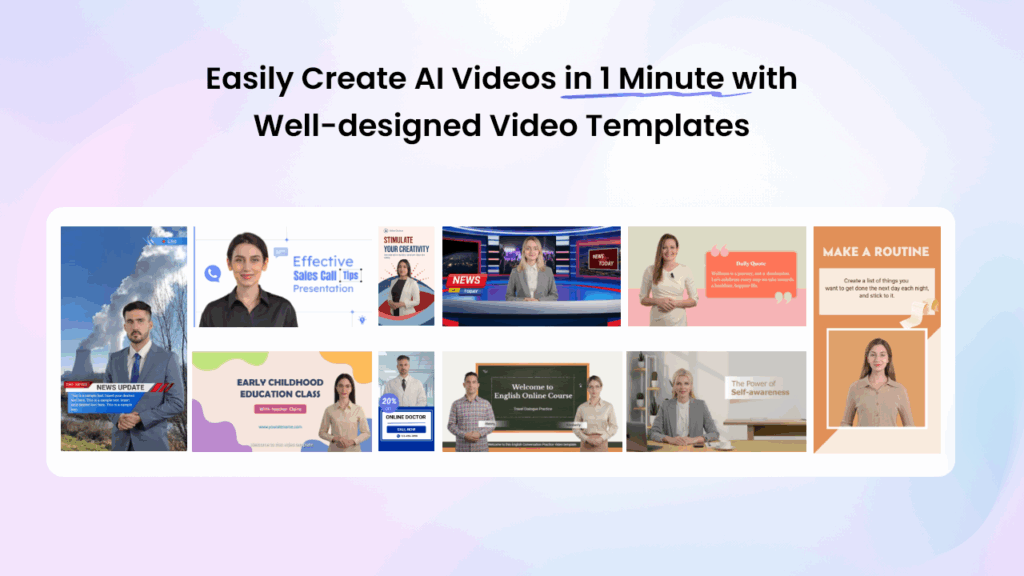
Vidnoz AI includes 2800+ video templates, allowing users to generate various types of videos with a single click. Users can generate how-to guides, educational content, online courses, training videos, tutorials, product demo and more. Plus, a great variety of aspect ratio templates is also available, including landscape and portrait.
- Lifelike AI Avatars
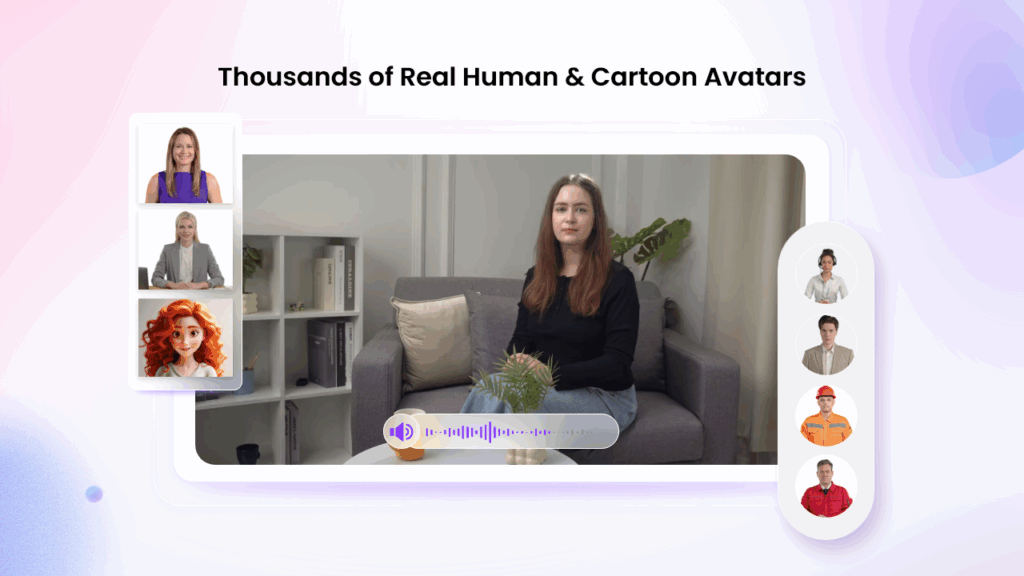
The program offers 1900+ AI avatars, each with “Head Pose and Expression Control” features. It includes realistic avatars of doctors, nurses, teachers, students, hosts, news reporters, and more. In addition to a library of realistic or animated avatars, users can also generate a digital twin using Avatar Lite, and Avatar Pro offers deeper customization options.
- Lip Sync AI Voices
It provides 2000+ AI voices in 140 languages, each with unique accents and characteristics. All the voices available on this program are powered by ElevenLabs, Microsoft, and Google. Additionally, creators can choose from a diverse range of voice styles, sentiments, and emotions to perfectly match their video’s intended tone and style.
- Free Version
The best part of Vidnoz AI is that it offers a free version, allowing educators, content creators, and marketers to generate high-quality videos at no cost. The free version offers 60 free credits, allowing users to explore advanced features, create multiple videos, and more.
- AI Video Wizard
No professional help required? Yes, with Vidnoz AI, users can generate professional-looking videos with a single text prompt or any source material. This tool offers an intuitive interface, which is best for non-tech and beginner users.
Part 3: Step-by-Step Guide: How to Create Engaging Videos With Vidnoz AI
With Vidnoz AI, users can create engaging content quickly and effortlessly, even without prior video editing experience. Here is how to do it:
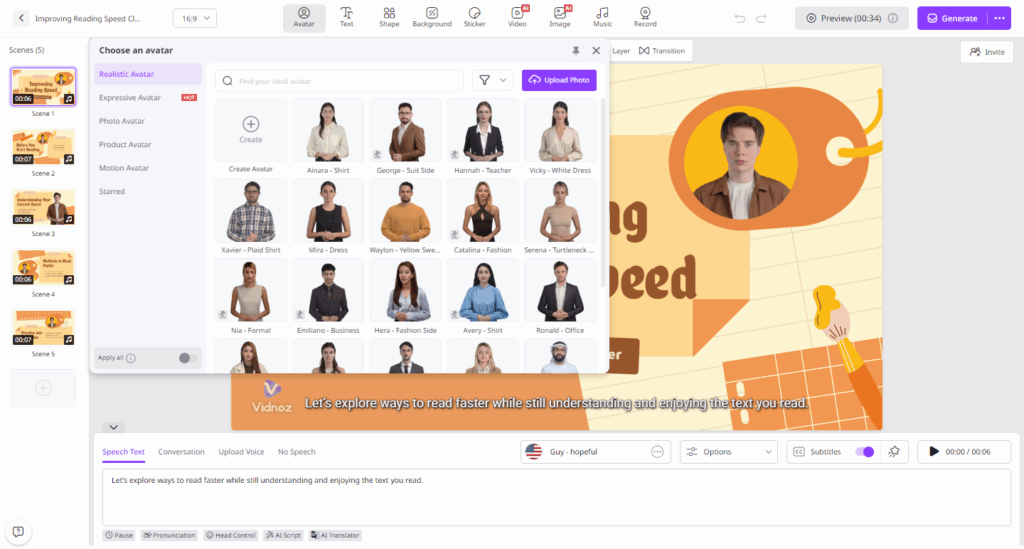
Step 1: Choose Template and Avatar
Navigate to Vidnoz AI’s official site and click on the “Create Free Video Now” button. Log in with your free account and select the desired templates and AI avatar.
Step 2: Input Text and Select AI Voice
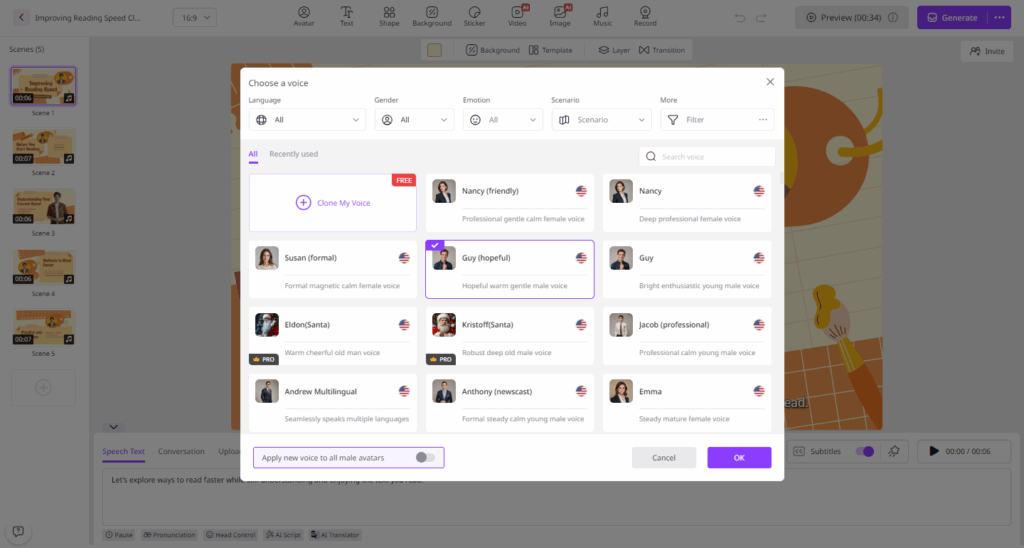
Next, enter your video script and select the AI voice. Vidnoz AI also enables users to select the language of their video. It supports wide range of languages, including English, Chinese, Spanish, Japanese, Korean, and more.
Step 3: Customize AI Video
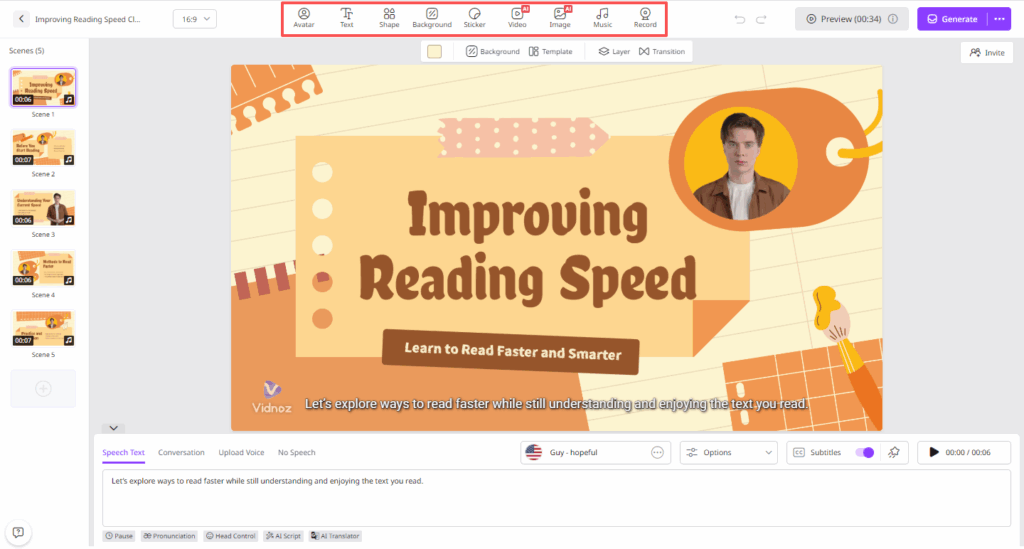
Now, use the online video editor to personalized AI video according to your requirements. The AI Video Editor enables you to customize every aspect of your video with ease. Users can change the background, insert text, and add music.
Step 4: Generate and Download
In the end, click on the “Generate” button to begin the video creation process. Within seconds, Vidnoz AI will generate your video. Preview it and if satisfied with the result, click on the “Download” button to save the AI video in a popular format, including MP4.
Final Thoughts
Vidnoz AI has made video creation effortless for educators, marketers, and content creators by removing the traditional barriers of time, cost, and technical expertise. With its intuitive interface, teachers can generate high-quality content, making learning professional and engaging.

I’m Leo Knox, the wordplay wizard behind WordsTwists.com where I turn everyday meanings into funny, clever, and creative twists. If you’re tired of saying things the boring way, I’ve got a better (and funnier) one for you!