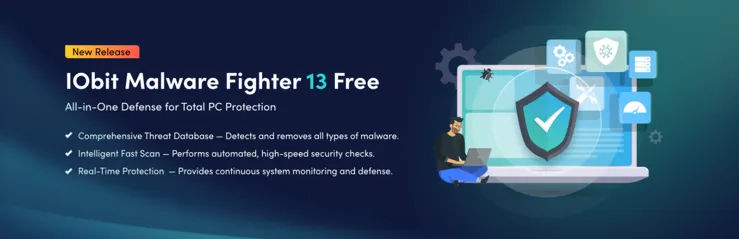
Coupled with the growing focus on data security, cybercriminals are finding ways to exploit loopholes and trick users into disclosing their sensitive data. Phishing is a highly dangerous mode of attack in which malicious individuals use the cover of trustworthy messages, emails, and even websites to deceive unsuspecting users into revealing their personal credentials. This might be their bank details, government-issued ID card details, and more. Such information is then used by cybercriminals to commit identity or financial theft. However, you need not get too worked up, as you can keep your system safeguarded from such threats by simply opting for the right protection. Today, we will discuss IObit Malware Fighter and how it can help protect your PC from cyber threats.
What Do You Mean By Phishing
Hackers impersonate legitimate individuals or organizations to trick users into sharing confidential information, such as personal identification numbers, passwords, and bank details. They might urge users to follow a link, open an attachment, reply to an email with personal information, or complete a form. But once you do the same, you will fall prey to their phishing attack, and the scammers will have easy access to your accounts, device, and other personal details. Understanding different types of phishing attacks can help you stay safe.
Various Categories Of Phishing Attacks
- A phishing email comes to your inbox with a do-follow link or a request to open an attachment, send a payment, or provide private information. Here, the sender’s email ID closely resembles someone you know or something that feels authentic.
- Under domain spoofing, the email phisher mimics the email address of a valid sender. People who respond to emails hastily without reading between the lines often fall prey to this scheme.
- Scammers might call you using voice phishing and impersonate a legitimate company or person to deceive you into giving up funds or personal details. These calls are redirected from automated messages when you press any specified key such as * or #.
- SMS phishing often attempts to create a sense of urgency with brief text messages. They are accompanied by a phone number where you might be asked to call or a link that you might be asked to click on.
- Under social media phishing, cybercriminals directly send messages to unsuspecting users they find on social media platforms. They might try to lure you with terms like “free giveaways” or seek money for “official organizations with a false narrative of helping the needy.” Others might try to befriend you before asking you for money.
- Clone phishing resembles a genuine message you may have received previously. But here, the authentic links and attachments are cleverly replaced with malicious ones.
The list of phishing types is constantly expanding. While we have listed the common ones, cybercriminals are continually devising new means of duping users. It may be impossible for us to keep track of such ever-changing phishing scams. That’s why we suggest trying IObit Malware Fighter, which can keep you worry-free from various online threats.
How to Boost Your Cyber Security With IObit Malware Fighter
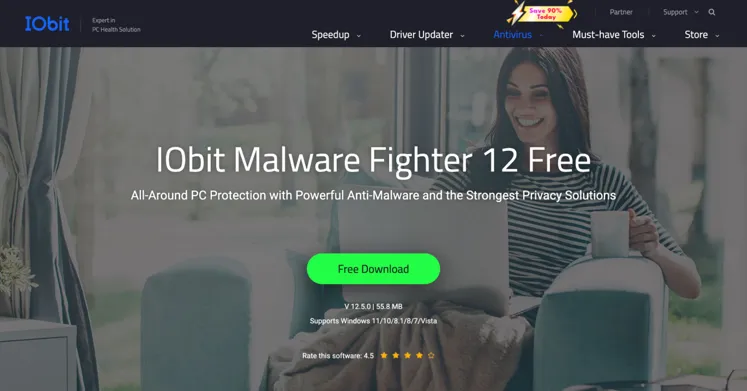
IObit Malware Fighter is an advanced spyware and malware removal tool that protects your device in real-time from various online threats, including phishing attacks. IObit Malware Fighter combines multiple defense layers with a highly robust anti-malware engine. Let’s take a look at its standout features:
What Makes IObit Malware Fighter Stand Out
- It can automatically scan your device in real-time to prevent malware before it is installed.
- You can keep all your sensitive data protected in a folder by setting a password. Even if suspicious software gets accidentally downloaded on your device, it cannot access the password-protected folder.
- IObit Malware Fighter can clear tracking cookies to provide a smooth browsing experience free from annoying advertisements.
- It saves all browser passwords in a local folder in an encrypted format and blocks unauthorized access to them.
- IObit Malware Fighter avoids virus infection from external hard drive or flash drive.
- It can stop any malicious process that might be running in RAM.
- The latest Behavior Guard feature sends advanced warnings of suspected viruses and potential threats.
Detailed Guide Of Preventing Phishing Attempts With IObit Malware Fighter
Step 1: Download and install IObit Malware Fighter on your Windows PC.
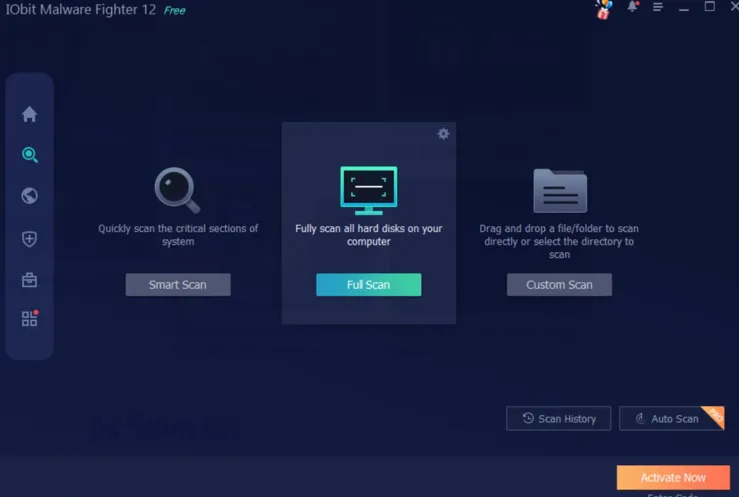
Step 2: After launching the tool, navigate to its Scan section. From here, you can select between a Smart Scan, Full Scan, or Custom Scan. It’s recommended to carry out a Full Scan if it’s your first time. Simply, hit “Start” and wait for the scan to finish. You can eliminate threats detected by clicking on “Fix.”
Step 3: Enabling real-time protection can help prevent malware infections before they occur. This can be done by going to the Protection tab and activating the Startup Guard, Network Guard, USB Disk Guard, and File Guard security shields. If you find that any of these shields are disabled, you can simply click “Turn On” and protect your device from cyber threats.
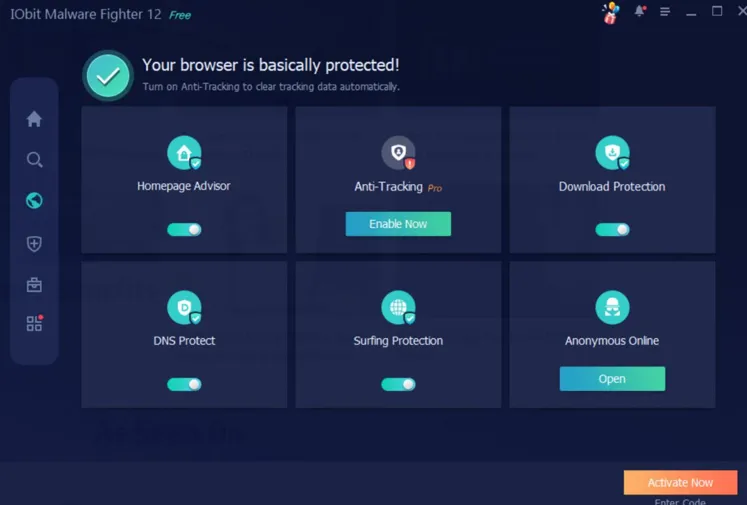
Step 4: You can stay safe while browsing the internet by navigating to the Browser Protection segment and enabling its Ad Blocker, Anti-Tracking, and Homepage Advisor features.
Step 5: One of the biggest threats to data security comes from ransomware downloads. You can keep your important files secured by heading out to the Ransomware Protection section and clicking on “Enable Protection.” Now you will have to add the folders containing files with important details to the Protected Folder List. Unauthorized encryption activities can be prevented by enabling real-time protection.
Step 6: To maintain system security without manual intervention, it is advisable to schedule automated scans. This can be done by opening the Auto Scan section from the settings menu and choosing “Mode” followed by “Method.” Once you choose between Smart, Full, or Custom scan, also determine the scan frequency, selecting from daily, weekly, or monthly. Finally, click on OK to run scans without system disruptions.
Step 7: You can keep IObit Malware Fighter updated by going to Settings, followed by Auto Update. Next, enable Automatic Updates. If manual updates are necessary, click “Check for Updates.”
Ways To Buffer Your System From Phishing Threats
- Double-check any unknown link before clicking on it.
- Authentic companies will never request confidential information via SMS or email. If you get such a proposal, then chances are high that it’s from a cybercriminal.
- Never enter your sensitive credentials to any website that doesn’t start with HTTPS.
- The passwords you use should be a combination of letters, numbers, and alphanumeric characters. Keep updating your passwords on a regular interval.
- Further protect your email, online banking, and other similar accounts by enabling two-factor authentication.
Conclusion
Phishing attacks are becoming increasingly challenging to detect with each passing day. However, you can stay protected from such malicious identities by using the right blend of protection and vigilance. IObit Malware Fighter can be your ultimate ally in the quest to secure your device from malware threats.
FAQs
- Will my device slow down once I install IObit Malware Fighter?
No, IObit Malware Fighter doesn’t impact system performance and can run efficiently in the background.
- I have another antivirus software on my device. Can I still use IObit Malware Fighter?
Yes, IObit Malware Fighter runs smoothly with most antivirus software, offering an extra dose of security.
- Can I use IObit Malware Fighter for free?
IObit Malware Fighter offers a free variant. But for additional security features, you will have to upgrade to its paid module.

I’m Leo Knox, the wordplay wizard behind WordsTwists.com where I turn everyday meanings into funny, clever, and creative twists. If you’re tired of saying things the boring way, I’ve got a better (and funnier) one for you!