

The computer desktop is often the starting point for daily tasks, yet it quickly turns into a cluttered space filled with icons, scattered files, and shortcuts. This disorganization not only looks messy but also hampers productivity by making it harder to find what you need. A clean, structured desktop creates a more focused and efficient work environment. That’s where a reliable desktop organizer software comes in. Among the top choices, iTop Easy Desktop stands out for its ability to instantly organize, customize, and secure your desktop, turning chaos into a streamlined and personalized digital workspace.
Step-by-step Guide to Customise Your Desktop Icons and Files
This program makes it effortless to arrange, customize, and secure your desktop. Below is a detailed step-by-step guide that shows how you can transform a disorganized workspace into a sleek, efficient, and personalized hub using iTop Easy Desktop.
Step 1: Free Download and Install
The first step is simple: head over to the official iTop website and download iTop Easy Desktop for free. The installation process is quick and lightweight, so it won’t consume much system space or memory.
Once installed, launch the program, and it immediately integrates with your existing desktop. You don’t have to worry about learning complex commands or system changes—it’s designed to be user-friendly. Within a few clicks, you’re ready to start organizing.
Step 2: Auto-Organize Files into Boxes
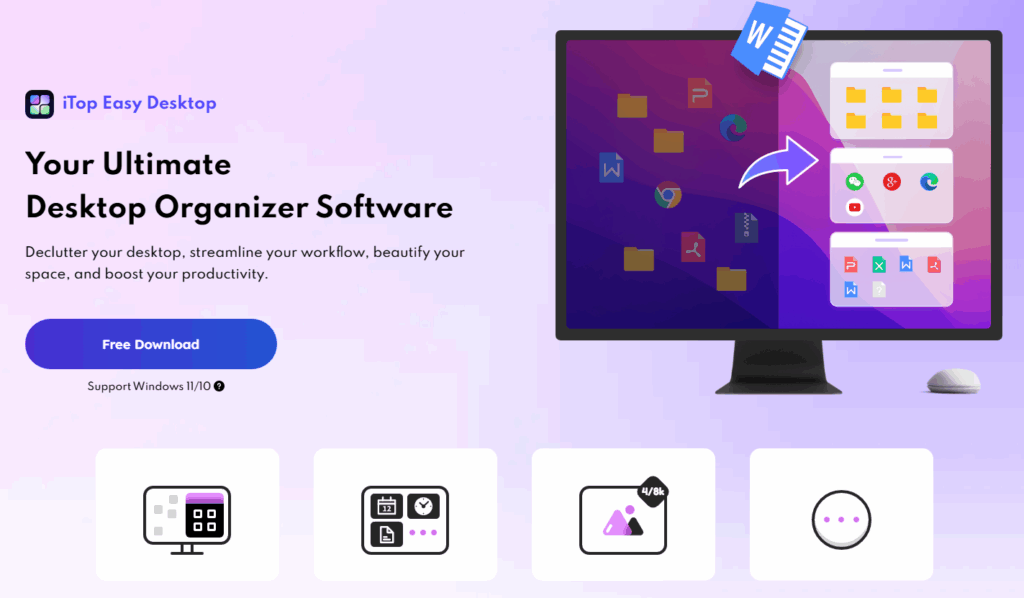
After installation, the software’s standout feature kicks in: auto-organization. If your desktop is already a maze of random icons and files, iTop Easy Desktop automatically arranges them into smart groups called Boxes.
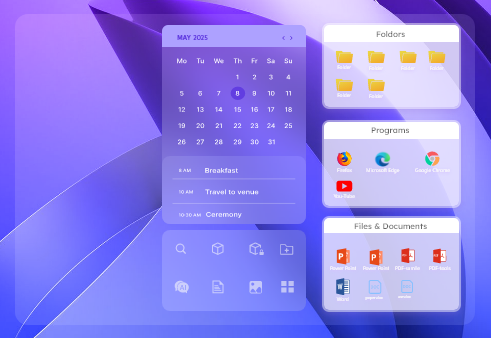
Boxes act like visual containers on your desktop where files, folders, and shortcuts are sorted by type or category. For example, images, documents, and apps each get their own dedicated Box. Instead of wasting time searching for a file hidden under dozens of icons, everything is neatly placed in its logical spot.
This instant clean-up feature alone saves hours of manual sorting and gives your desktop a professional look right away.
Step 3: Customize Boxes
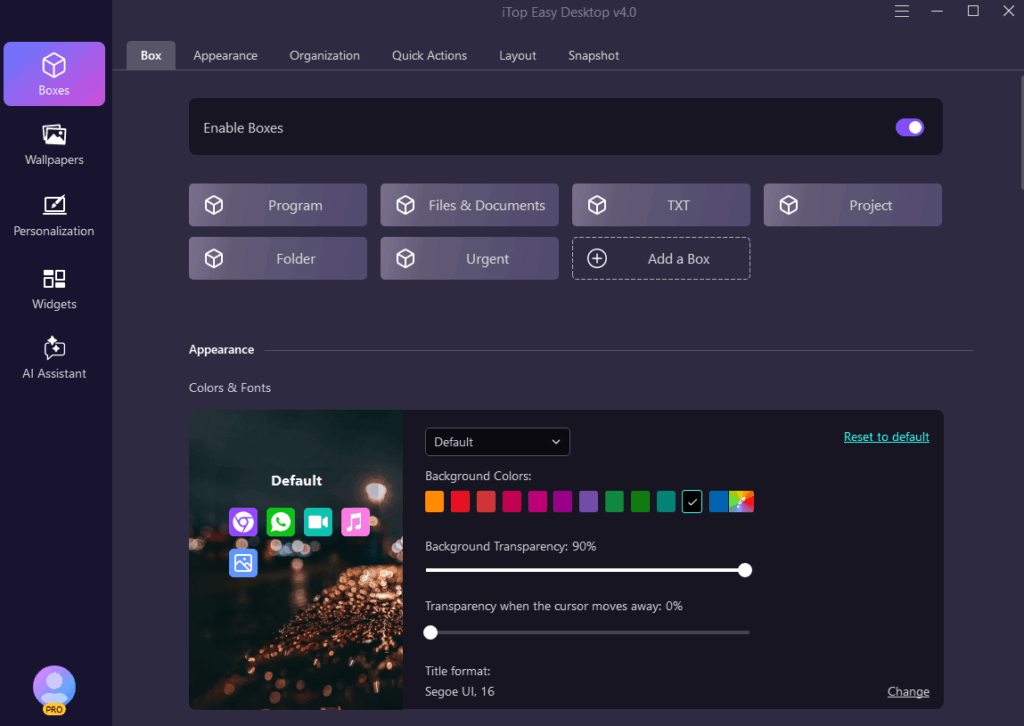
Every user has a unique workflow, and iTop Easy Desktop respects that. Once the auto-organization is complete, you can fully customize each Box.
- Rename Boxes: Change the titles to match your workflow, such as “Work Projects,” “Media,” or “To Review.”
- Resize and Move: Drag boxes around the screen, resize them, and place them in your preferred layout.
- Color Coding: Assign different colors to each Box for visual clarity. For example, use blue for work-related files and green for personal folders.
This level of customization helps you build a desktop that feels tailored specifically to your tasks, boosting focus and efficiency.
Step 4: Check as a Private Box Sensitive Files
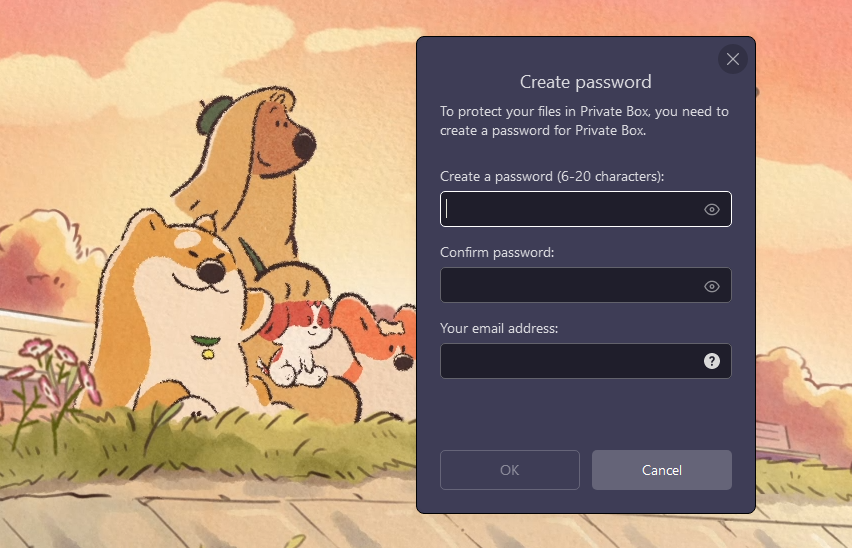
Every computer has files you don’t want others to see—whether it’s confidential documents, personal notes, or work-in-progress projects. iTop Easy Desktop offers the Private Box feature to handle this.
You can mark any Box as a Private Box, which then hides its contents from view. Access requires authentication, ensuring your sensitive files remain protected even if someone else uses your computer.
This feature is especially valuable for professionals dealing with client data, students with exam material, or anyone who values digital privacy.
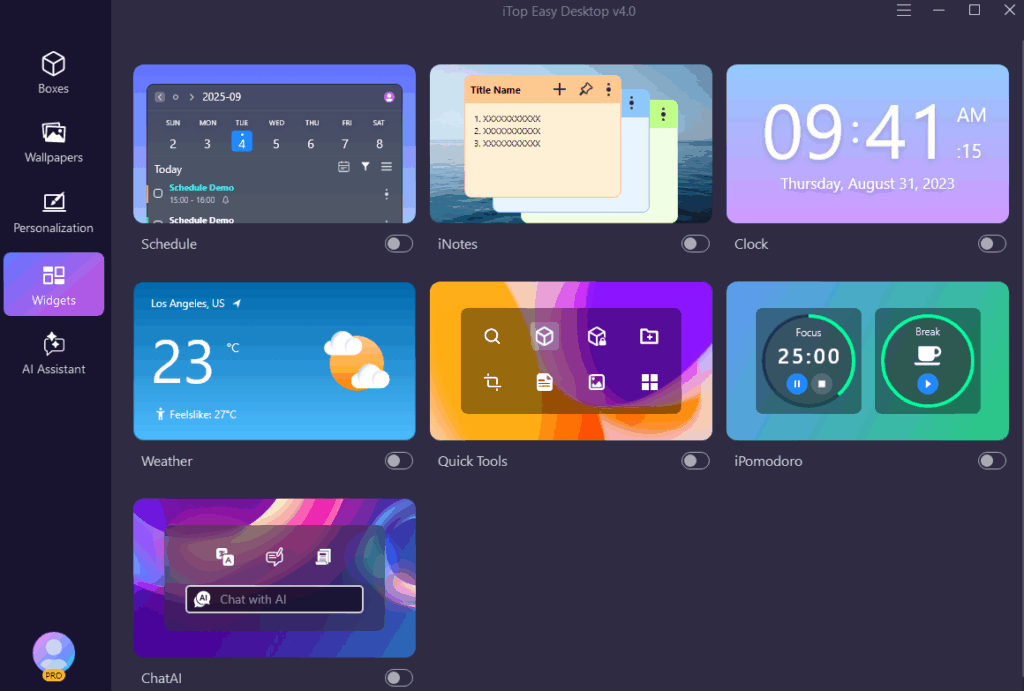
Step 5: Set up Your Workflow with Widgets
Organization is more than just arranging files—it’s about creating an environment that supports your productivity. iTop Easy Desktop allows you to add widgets to your desktop.
Widgets can include tools like:
- Schedule for quick scheduling checks (syncing with Google Calendar)
- Weather to plan your day
- Clock for tracking work sessions
- iNotes for jotting down quick reminders
- iPomodoro to ensure focused work sessions
Placing widgets alongside your Boxes helps transform your desktop into an interactive dashboard, allowing you to manage work, time, and tasks without switching between multiple applications.
Step 6: Beautify Your Workplace with 20,000+ Wallpapers
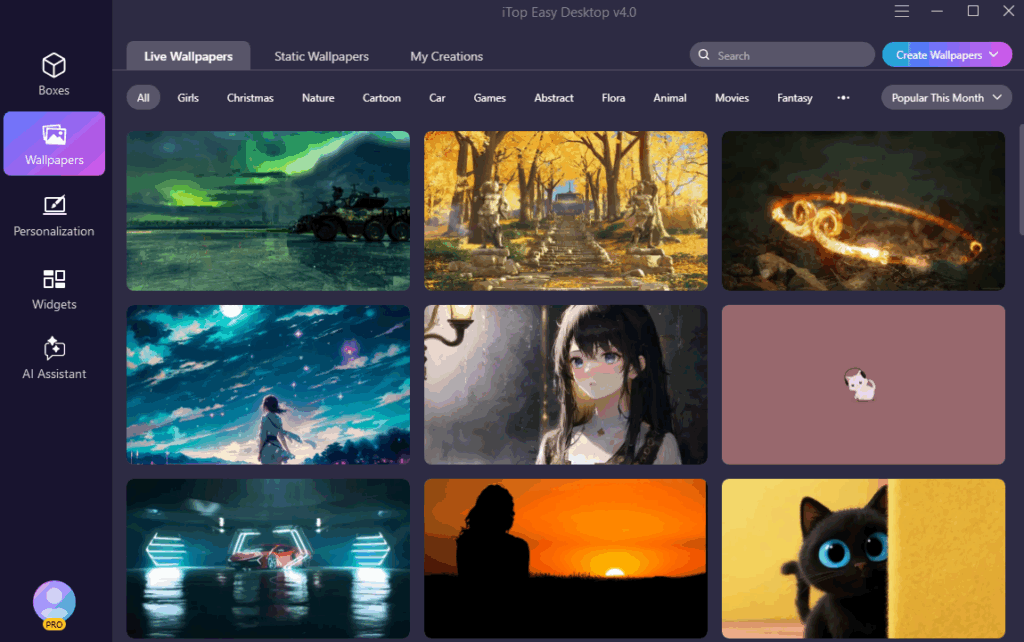
You don’t need to search the web for images; this desktop organizeer software provides a categorized gallery including:
- Popular Themes: Nature, Science Fiction, Anime, Gaming, Holidays, and Minimalist “Creations.”
- Daily Updates: It integrates with Bing Wallpapers to automatically update your background with a new, professional-grade image every day.
Unlike standard Windows settings, iTop gives you more control over how your background behaves:
- Playlist Management: You can create a “Favorite” collection and set a playlist to cycle through them in a specific order.
- Volume & Playback: If a video wallpaper has sound, you can adjust the volume or mute it directly. You can also pause animations when you need to save power.
- System Integration: It often works alongside the Fancy Taskbar feature, allowing you to match the wallpaper’s aesthetic with a custom-colored or transparent taskbar.
Step 7: Conceal or Unconceal Icons Using a Double Click
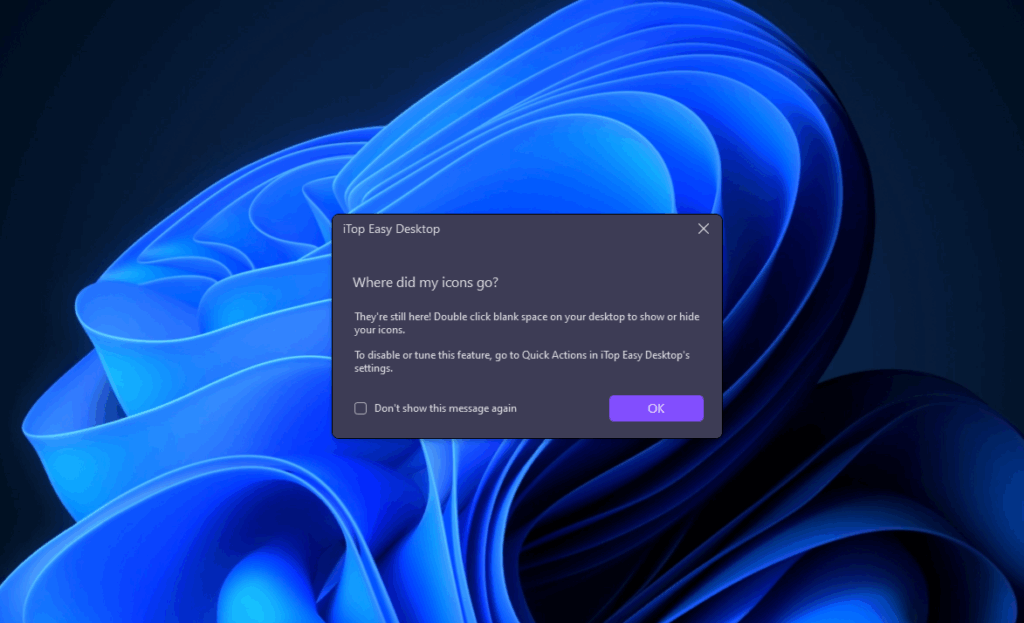
Sometimes, you just want a clean, distraction-free desktop without icons covering the screen. iTop Easy Desktop makes this possible with its conceal/unconceal feature.
By double-clicking on the desktop, you can hide all icons and Boxes instantly. This feature is perfect when giving presentations, screen-sharing during meetings, or simply enjoying a wallpaper without clutter. Another double-click brings everything back, just as you left it.
It’s a simple but powerful way to switch between work mode and presentation mode in seconds.
Step 8: Save, Sync Your Layout
After investing time in creating the perfect desktop layout, the last thing you want is to lose it. iTop Easy Desktop includes a Save and Sync feature, allowing you to preserve your customized desktop arrangement.
This means:
- You can restore your layout if it accidentally changes.
- You can sync the same desktop arrangement across multiple PCs.
- Updates or system reboots won’t mess up your organization.
For professionals who use more than one device, this ensures a seamless and consistent working environment everywhere.
Why Choose iTop Easy Desktop?
iTop Easy Desktop isn’t just another tool to tidy up icons—it’s a complete productivity booster. What makes it different is the way it combines simplicity with powerful features, ensuring anyone can use it without a steep learning curve. Unlike many tools that are either too limited or too complex, this desktop organizer software from iTop delivers a perfect balance.
Here are the standout advantages:
- Fast and Lightweight: Runs smoothly without consuming system resources or slowing down your computer.
- Enhanced Privacy: Secure your sensitive files by placing them inside encrypted Private Boxes.
- Highly Customizable: Resize, move, and color-code Boxes to design a desktop that reflects your workflow.
- Effortless Organization: Instantly auto-sort files and hide/unhide icons with just a double-click.
With these features, iTop Easy Desktop transforms cluttered screens into streamlined, efficient workspaces.
Final Thoughts
Your desktop is the foundation of your digital life, and keeping it neat is essential for staying productive. With iTop Easy Desktop, you don’t just clean up icons—you create a workspace that matches your workflow, secures your files, and looks fantastic.
Following the steps above—download, auto-organize, customize, secure, enhance with widgets, wallpaper, conceal/unconceal, and sync—you can completely transform your desktop experience.

I’m Leo Knox, the wordplay wizard behind WordsTwists.com where I turn everyday meanings into funny, clever, and creative twists. If you’re tired of saying things the boring way, I’ve got a better (and funnier) one for you!

