1. Introduction
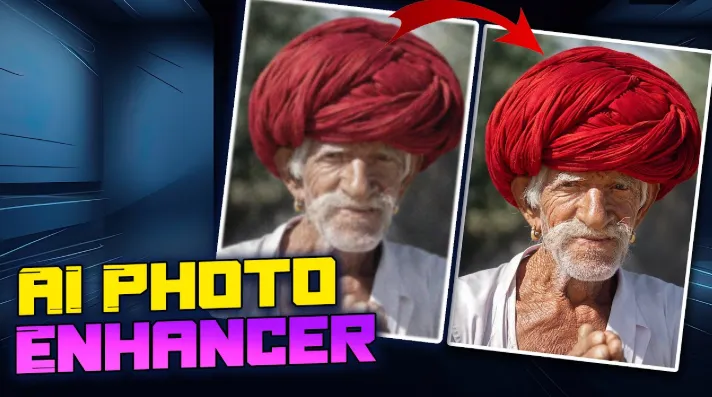
Image quality plays a quiet but decisive role in how digital content is perceived. Whether it is a personal photo, a product image, or a visual used for online publishing, clarity directly affects credibility and engagement. However, many images suffer from common issues such as low resolution, blur, or compression artifacts. As a result, AI image enhancer tools have become increasingly relevant, offering a practical way to restore and improve image quality using automated image analysis and enhancement techniques.
2. Introducing the AI Photo Enhancer by insMind
insMind is an online photo editing platform built to handle a wide range of image-related tasks through AI-assisted workflows. Rather than focusing on a single function, the platform combines multiple editing features in one environment, allowing users to enhance, edit, and refine images without switching tools.
Among its features, the AI Image Enhancer is designed to improve photo clarity by analyzing image structure, sharpness, and detail loss. Instead of manual adjustments, the tool applies AI image enhancement techniques to automatically restore details and improve overall visual balance. This approach makes it suitable for users who need an accessible AI photo enhancer that works directly in the browser and does not require prior editing experience.
3. How to Enhance Image and Increase Photo Quality with insMind
Improving image quality with insMind follows a simple, guided process. The workflow is designed to minimize manual input while still delivering visible improvements.
Upload the image
Users begin by opening the insMind AI Image Enhancer page and uploading the image they want to improve. The tool supports commonly used image formats and works for a variety of image types, including portraits, product photos, and general visuals.

Apply AI image enhancement
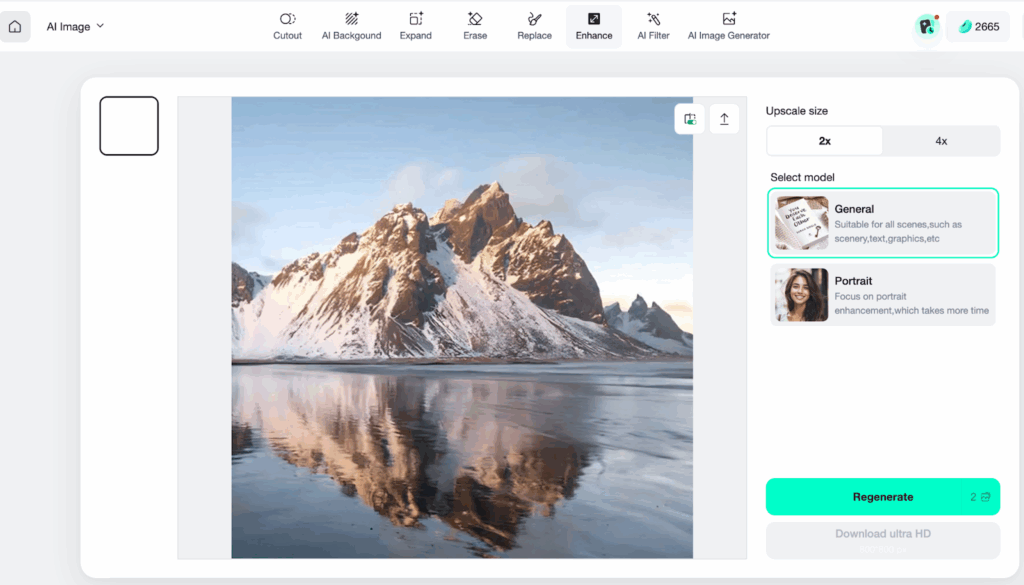
After uploading, the AI automatically processes the image. During this stage, the system detects blur, low-resolution areas, and noise. The AI image enhancement process focuses on refining edges, improving sharpness, and restoring lost detail without altering the original composition.
Preview the result
Once processing is complete, the enhanced image is displayed alongside the original. This comparison allows users to evaluate the improvement in clarity and texture. Even images with noticeable quality loss can show clearer details through this AI enhance image free workflow.

Download or continue editing
If the result meets expectations, the image can be downloaded immediately. Users may also continue editing by adjusting size or applying additional edits within the same interface.
This step-by-step process reflects how AI image enhancers are increasingly used to streamline image quality improvement without manual editing.
4. Benefits of Using an AI Image Enhancer
AI-based image enhancement offers practical advantages across many everyday scenarios. One key benefit is efficiency. Traditional photo enhancement often requires technical knowledge and multiple manual adjustments, while AI automates these steps in seconds.
Another benefit is consistency. When working with multiple images, an AI image enhancer can help maintain uniform visual quality, which is especially useful for online content publishing. Common use cases include improving images for social media posts, refining visuals for e-commerce listings, enhancing scanned documents, or restoring older digital photos. In these situations, AI image enhancement provides a reliable way to improve clarity without specialized tools.
5. What Else You Can Do with insMind
Beyond image quality enhancement, insMind functions as a broader photo editing solution. Users can edit images freely by resizing them for different platforms, adding text overlays, or applying shadows to improve visual depth.
The platform also supports product collage creation, which is useful for showcasing multiple items in a single image. For background-related tasks, users can remove backgrounds from photos and generate transparent images using the background remover: https://www.insmind.com/background-remover/
.
Additionally, insMind offers AI-generated backgrounds through its AI background feature: https://www.insmind.com/ai-background/
. Unwanted elements can be removed using the magic eraser, allowing users to clean up images without complex selection tools. These combined features position insMind as more than a simple image enhancer, but rather a multifunctional editing platform.
6. Conclusion
As visual content continues to dominate digital communication, tools that improve image quality efficiently have become increasingly valuable. An AI Image Enhancer provides a practical solution for enhancing clarity and detail without manual editing. With insMind, users can apply AI image enhancement quickly and continue refining images using additional editing features when needed. For those looking to improve image quality in a straightforward and accessible way, insMind offers a balanced approach worth exploring.

I’m Leo Knox, the wordplay wizard behind WordsTwists.com where I turn everyday meanings into funny, clever, and creative twists. If you’re tired of saying things the boring way, I’ve got a better (and funnier) one for you!