Landing your first job is tough—about 75 percent of résumés stall in applicant-tracking systems before a recruiter even looks at them (Gitnux).
The upside: 90 percent of hiring managers now welcome AI-assisted applications (Forbes).
That shift means you can use an AI résumé builder to satisfy the bots and still sound like yourself. Below, we break down the seven best AI résumé builders for 2026 entry-level candidates and explain how each one gets you past the ATS barrier—fast.
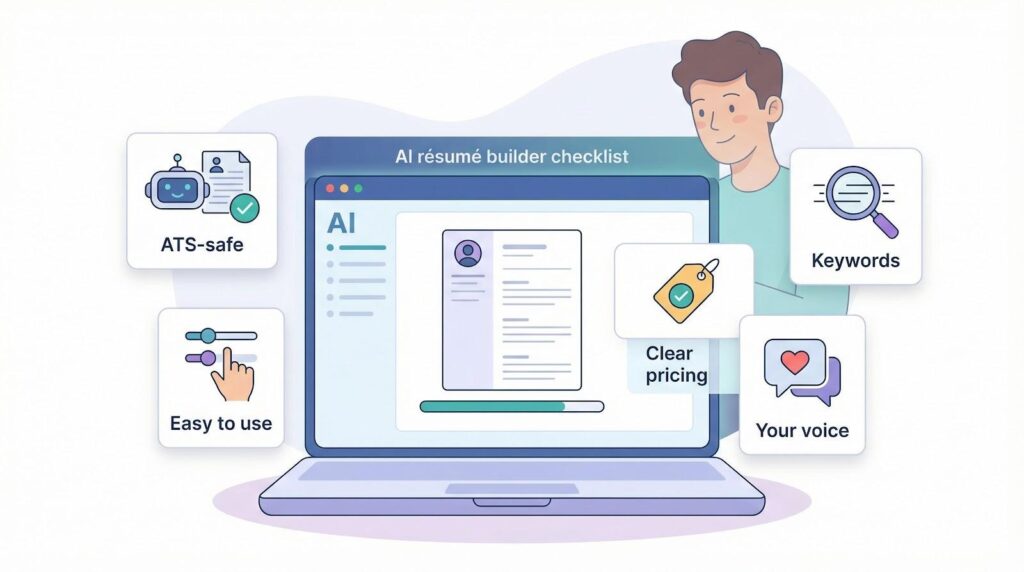
What first-time job seekers should look for in an AI résumé builder
Before we name specific tools, let’s agree on the checklist that separates a résumé lifesaver from a time-waster.
First, think about the bots. An ATS values clean structure and keywords. If a builder doesn’t promise a single-column, text-first layout, or even better shows you a live match score, skip it.
Ease of use comes next. You’re juggling finals, part-time shifts, and maybe a side hustle. A good platform guides you step by step, suggests wording as you write, and never leaves you staring at a blank page.
Money matters, too. Look for honest free tiers that let you download at least one polished PDF. If pricing pops up at the last second, keep scrolling.
Great builders also coach you to customize. Paste a job description and watch key phrases highlight instantly—that’s how you move from “generic graduate” to “perfect fit” in minutes.
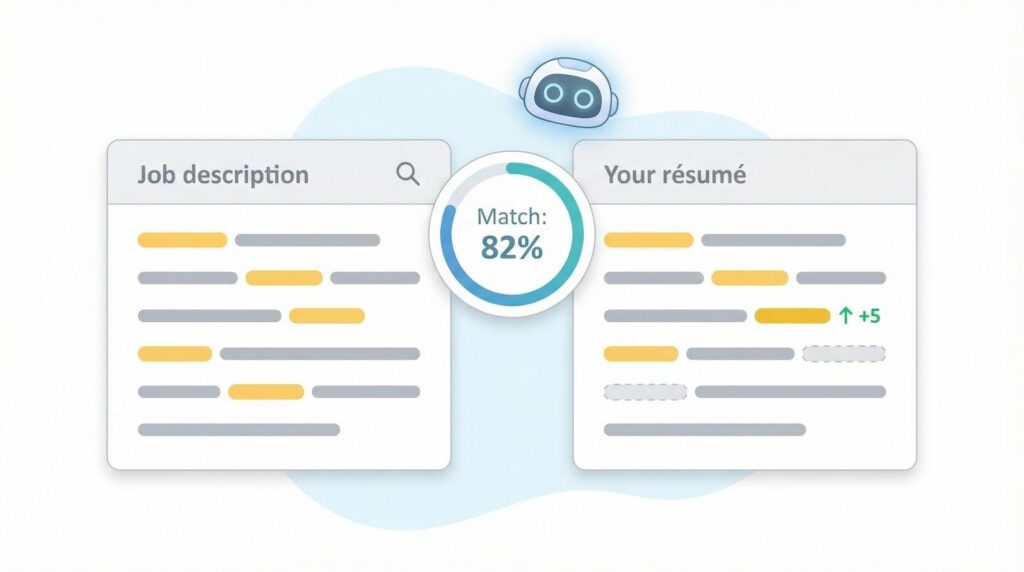
Enhancv’s free Match tool is a perfect example—it scores your draft against the job ad in seconds and highlights missing keywords in yellow, so you can plug gaps before an ATS sees them. Enhancv also reports that 28,452 of its users landed interviews last month, suggesting that targeted keyword fixes move the needle from “apply” to “interview.”
Finally, remember the human factor. AI drafts fast, but you own the story. Read the final copy aloud. If it doesn’t sound like something you’d say in an interview, revise until it does.
Keep these five filters in mind, and the picks that follow will make a lot more sense.
Enhancv: AI personalization for standout new-grad résumés
Enhancv treats your résumé like a concise elevator pitch. You start with a clean, modern template, and its assistant suggests stronger verbs and prompts you to add numbers that prove impact.
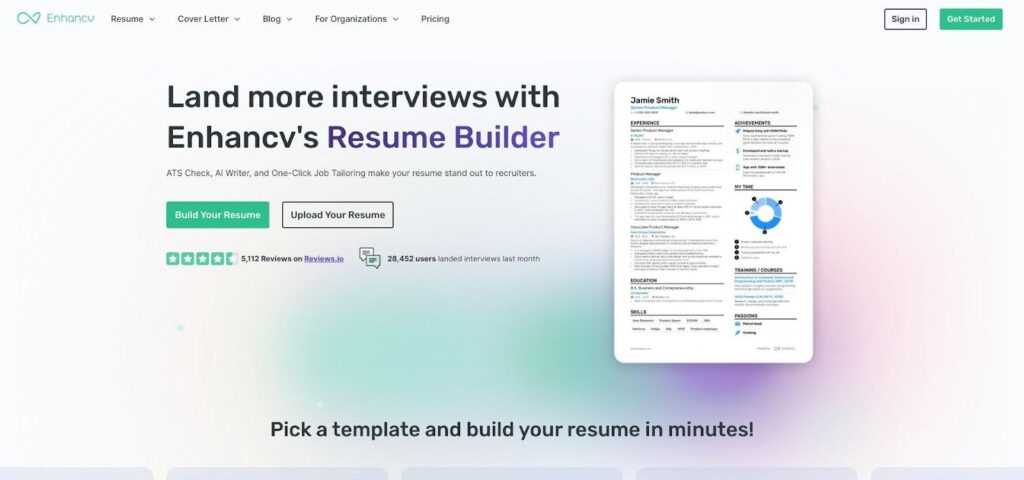
Enhancv AI resume builder interface screenshot.
Paste a job ad into the Match tool and watch bullets reorder, critical phrases surface, and side projects move higher without confusing an ATS, according to a Board Infinity analysis. It feels more like a friendly editor than software.
Design flexibility helps you show personality. Add sections for projects, hobbies, or core values, so a short work-history page feels complete. A résumé checker runs in the background and flags clichés or color choices that may block scanners, keeping creativity inside recruiter guardrails.
Pricing stays simple. The seven-day free trial lets you build and download two résumés, enough for most grads perfecting a one-page document. Ongoing access costs about the price of two coffees each month, a fair deal if you expect to iterate for multiple roles.
If you already have raw content and want it to shine, Enhancv can turn “okay” into “outstanding” in minutes.
Novorésumé: real-time coaching when you’re staring at a blank page
Novorésumé greets you with a quick question flow: major, degree, volunteer gig? You answer, and a one-page draft appears on the right side in seconds.
Its standout feature is the live score that sits beside every section. Add a metric and watch the number climb. Skip a keyword and see it drop. The instant feedback turns résumé writing into a quick “level-up” exercise, perfect for restless first-timers.
Click the AI Assistant icon and ask, “How do I phrase my capstone project?” It responds with three sharp bullets you can paste straight in. Each suggestion sounds natural because you adjust tone and length before inserting, and if you want more inspiration the site’s 90-plus industry-specific resume examples show how finished drafts read to recruiters.
Templates keep you safe. They’re recruiter-approved, single column, and color-subtle, so you never worry about graphics tripping an ATS scan.
The best part? The free plan lets you export one polished PDF. For most grads, that’s all you need to start sending applications tonight.
Kickresume: instant GPT-4 drafts when you need a résumé yesterday
Kickresume feels like autocorrect for your career. You enter a job title or connect LinkedIn, and its GPT-4 writer produces a complete résumé draft in under a minute. Action verbs, quantified wins, and a sharp summary appear like clockwork.
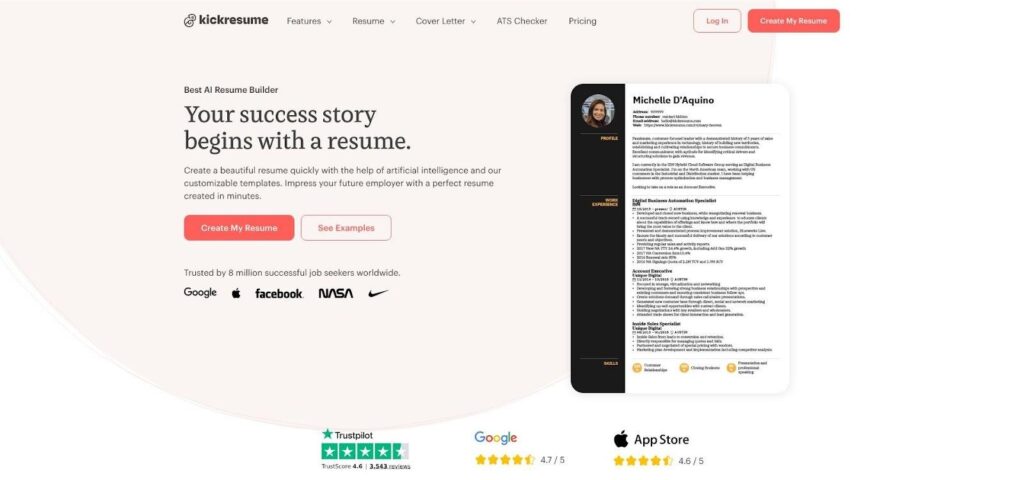
Kickresume GPT-4 AI resume writer homepage screenshot.
Results are measurable. In Tom’s Guide’s head-to-head test, the platform scored its own AI résumé at 88 out of 100—the highest of the group. That validation lets you hit send with confidence.
Templates stay modern yet single column, so robots read them as easily as hiring managers. A checker flags formatting tweaks that may trip an ATS, while a quick toggle lets you switch colors for creative roles or keep grayscale for corporate.
The free tier lets you generate and download one résumé, perfect for last-minute campus-fair applications. Upgrade for about nineteen dollars a month if you want unlimited regenerations, cover-letter drafts, or support for multiple languages.
When the posting closes tonight and you still have no résumé, Kickresume is the quick-save option that delivers.
Rezi: keyword focus for beating the bots
Rezi flips the résumé writing process. Instead of asking “Does this look pretty?” it asks the question that matters online: “Will a robot say yes?”
Paste a job description and Rezi’s analyzer highlights every missing keyword in bright yellow. Add the phrase and the match score rises in real time, turning edits into a quick points game that ends with an interview invite.
The builder stays simple: single column, standard fonts, zero graphics. That restraint is deliberate; no fancy borders or icons to trip scanning software.
Rezi’s AI also sharpens phrasing. Type “managed club budget,” click Suggest, and it returns, “Oversaw a $4,000 annual budget for the Engineering Society, reallocating funds to increase event attendance by 30 percent.” Strong verbs, clear numbers, instant upgrade.
One active résumé is free forever. Need multiple versions? A one-month Pro plan costs less than a pizza and offers unlimited scans, cover-letter drafts, and lifetime PDF storage.
If your dream employer relies on an ATS, Rezi makes sure your résumé speaks its language.
Resume.io: polished templates with zero learning curve
If design isn’t your strength and you just want a résumé that looks “hired,” Resume.io is a quick route.
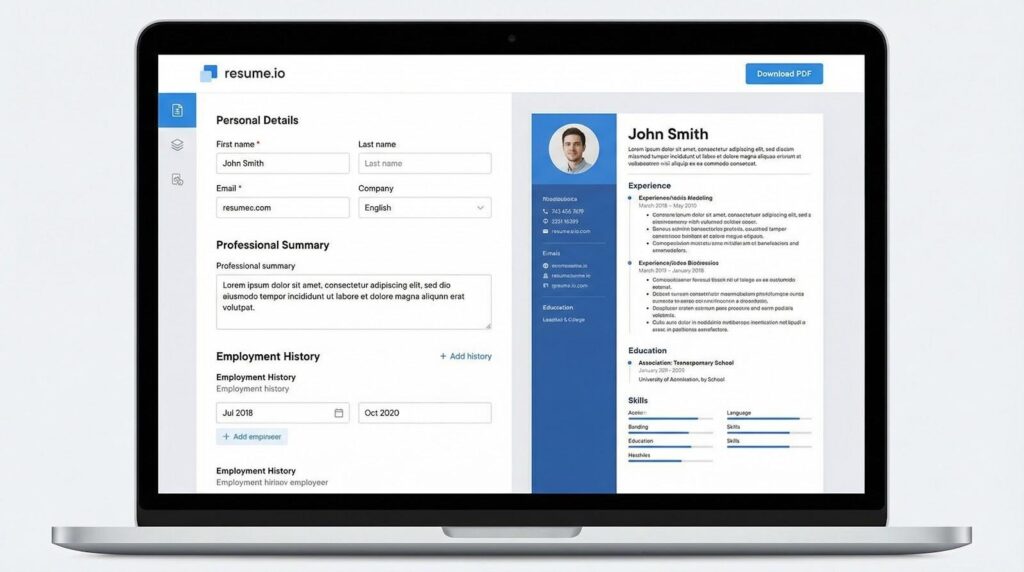
Resume.io polished resume templates and guided builder screenshot.
Choose a template, fill out the guided fields, and watch a pro-level layout assemble in real time. No guessing font sizes, no wrestling with margins; every detail aligns with recruiter specs.
A subtle AI review sits in the corner, flagging vague verbs or missing sections. It’s quieter than Novorésumé, yet it still prevents rookie errors like two-page sprawl or skills lists without evidence.
ATS safety comes standard. Even the more creative two-column designs export as scanner-friendly PDFs, so you keep the visual upgrade without risking an algorithmic blackout.
Building stays free, but downloading requires a seven-day trial that costs about $2. Plan your timing, grab the PDF, then cancel if budgets are tight.
For first-job seekers who value speed and aesthetics over deep AI guidance, Resume.io is the set-it-and-send-it choice.
Zety: built-in playbook for résumé rookies
Zety feels like a campus career center that never closes. The moment you click a field, a sidebar shows sample phrases for that specific section. No more searching for “good résumé verbs.”
Select “Coursework,” and it suggests lines such as “Completed a six-week data-analysis project using Python.” Choose the line, adjust the metric, done. The steady prompts teach you résumé grammar as you write.
An integrated checker scans tone, length, and keyword density, nudging you to quantify achievements and cut fluff. Think of it as a quiet coach whispering, “Add the percentage you improved club membership by.”
Templates strike a balance between modern style and recruiter practicality. Subtle color bands and icons add polish, but the underlying code stays ATS-friendly, so you can move from finance to UX design without switching platforms.
Zety’s catch is the paywall at export. A two-week pass costs a few dollars and unlocks unlimited downloads, cover letters, and future edits. If you plan your writing sprint, that short subscription may be all you need.
Use Zety when you want smart guidance yet still prefer final say over every word. It blends résumé builder and on-demand writing workshop in one package.
Teal: free customization engine for serial applicants
Teal isn’t only a résumé builder; it’s mission control for your job hunt. You store every position you like, paste each description into the dashboard, and Teal highlights the exact skills and phrases you still need to weave into your résumé.
Click “Create version,” and the tool clones your base résumé, flags missing keywords, and suggests edits line by line. In five minutes, you have a role-specific PDF without starting from scratch.
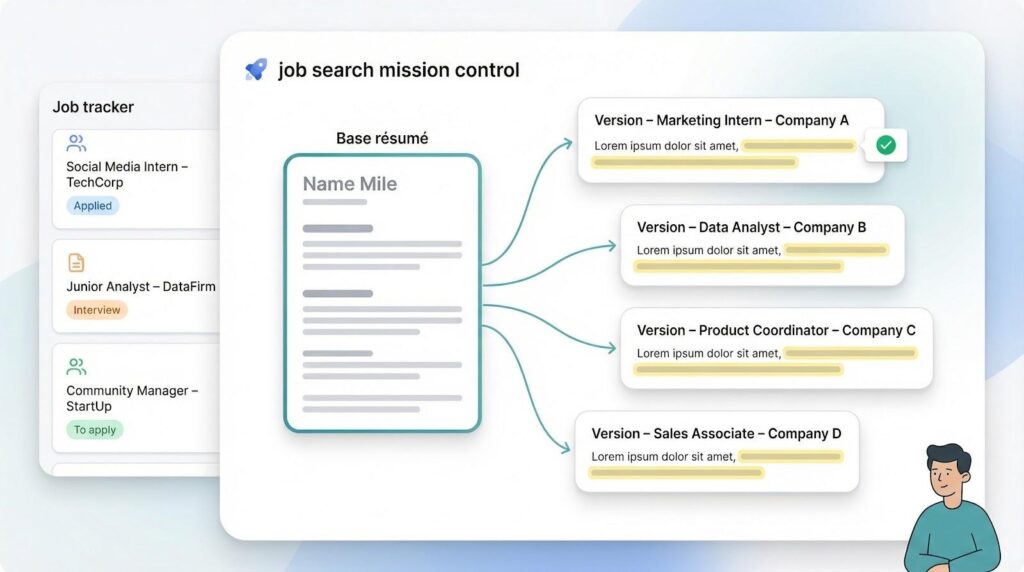
Templates are intentionally plain. They use a single column, black text, and stay ATS-proof, so nuance lives in content, not graphics. This approach keeps file size small and parsing errors rare.
Costs? Zero. Core résumé, keyword analyzer, and job tracker stay free forever. A Pro upgrade—around $8 a month—adds extras like LinkedIn sync, but most first-time job seekers won’t need it.
If you’re sending ten applications a week and refuse to settle for one generic résumé, Teal turns customization from chore to habit.
FAQs
Is an AI resume builder safe to use for my first job?
Yes. Reputable builders like the ones above generate ATS-friendly documents and let you review every word before downloading. The AI suggests content; you decide what stays.
How much should I spend on a resume builder as a student?
Most tools above offer usable free tiers. If you need extra features, expect to pay roughly two to ten dollars a month — less than a single professional resume review.
Can recruiters tell if AI wrote my resume?
They can if you skip the editing step. Always read the draft aloud, swap in your own phrasing where something sounds generic, and double-check that every claim is true.
Conclusion
Choosing the right AI resume builder depends on what slows you down most. If a blank page is the problem, Novoresume or Kickresume generate a solid draft in seconds. If keywords and ATS scores keep you up at night, Rezi and Teal zero in on exactly what the robots want to see. And if you need design confidence without a learning curve, Enhancv or Resume.io hand you a polished layout the moment you start typing. Pick one, customize it for the role, read it aloud once, and hit send — your first interview is closer than you think.

I’m Leo Knox, the wordplay wizard behind WordsTwists.com where I turn everyday meanings into funny, clever, and creative twists. If you’re tired of saying things the boring way, I’ve got a better (and funnier) one for you!